The process to create shipping labels on Shopify can disrupt your workflow and consume valuable time.Businesses handling hundreds of monthly shipments face a significant challenge when they constantly switch between different tabs and platforms. Your Shopify store's connection to FedEx helps automate shipping tasks, reduce errors, and improve operations.
Multi-Tab Switching
Switching between multiple tabs quietly drains productivity for e-commerce businesses. Your time and energy slip away with every extra click and tab change while handling order fulfillment.
The problem with traditional workflows
Shopify's traditional shipping label creation method breaks your focus and wastes time. The process starts in your Shopify admin panel. You switch to a carrier website, manually type order details, download the label, go back to Shopify, change the order status, and let the customer know. A few orders might seem easy to handle this way, but these inefficiencies grow faster as your business expands.
Picture yourself processing hundreds of orders each day:
- Tab switching wastes precious time
- Manual data entry causes mistakes
- Orders become harder to track
New team members face unnecessary challenges with this scattered process. They must learn multiple platforms instead of mastering a single system.
How a no-tab-switch setup boosts efficiency
Sendoship's no-tab-switch approach revolutionizes your shipping label creation process. FedEx shipping integrates directly with your Shopify dashboard, so you never have to leave your store admin. Sendoship's FedEx Shipping Suite keeps the entire label creation process within Shopify. This straightforward approach offers real benefits:
Daily time savings add up – Creating shipping labels without switching tabs saves 30 seconds per order. Businesses handling 100 daily orders save 50 hours a month, which equals more than a week's worth of work.
Better accuracy means fewer returns – Shipping information flows directly from Shopify orders, eliminating typing errors. Packages more often reach the correct addresses, which reduces customer service issues.
Easier training and operations – Team members learn one interface, which makes onboarding quick and shipping operations simpler.
A tab-switch-free system does more than just offer convenience. It creates a simpler fulfillment process that scales with your business without demanding more time and focus.
Step-by-Step Guide to Create FedEx Labels with Sendoship
Install and Connect FedEx Account
Head over to the Shopify App Store, find Sendoship, and click Install. Once installed, connect your FedEx account by adding account number, API key and secret key. This allows you to access real-time shipping rates and services directly inside your dashboard.
Choose the Order
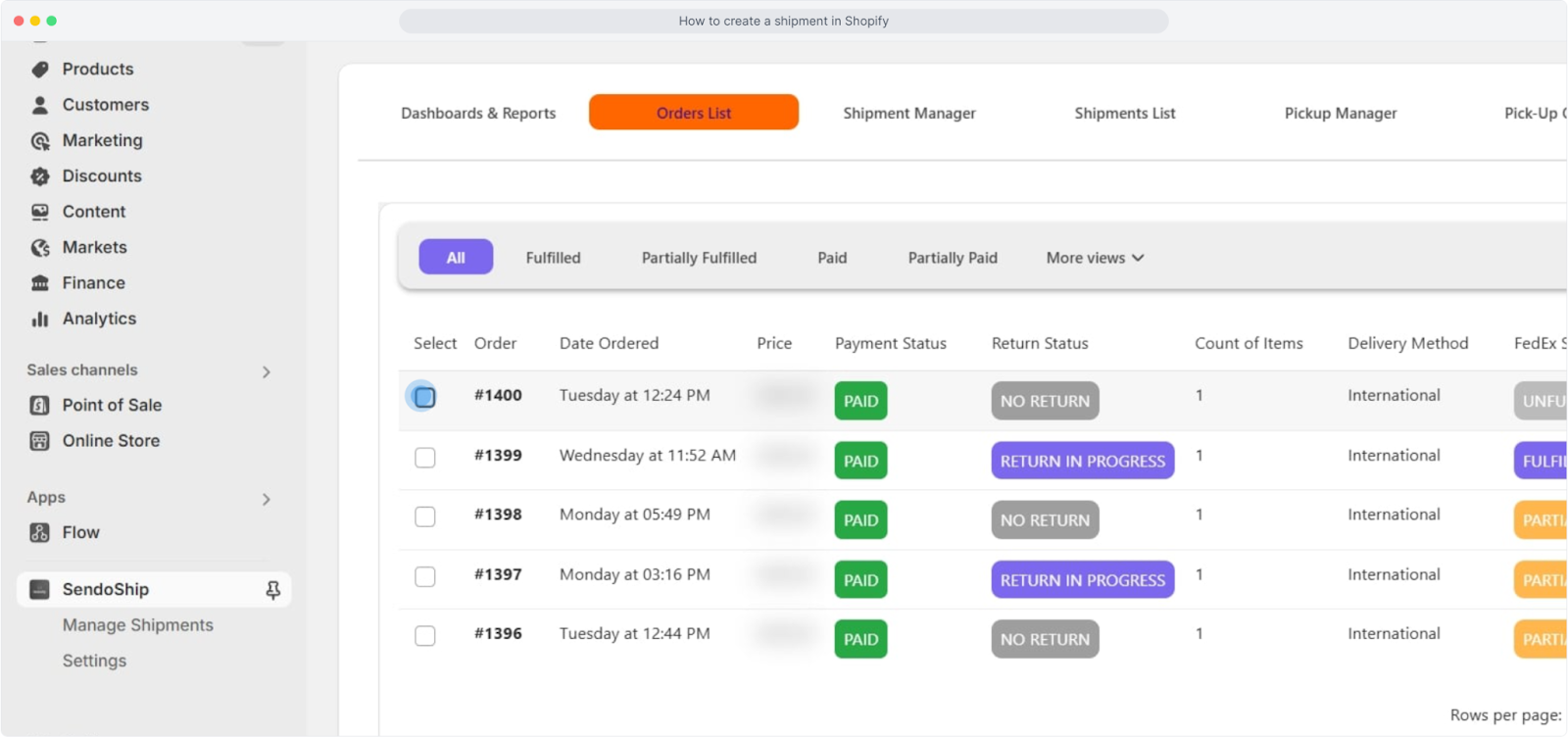
From your order list, select the order you want to ship. No need to copy and paste addresses and other basic details, Sendoship automatically pulls customer details from Shopify.
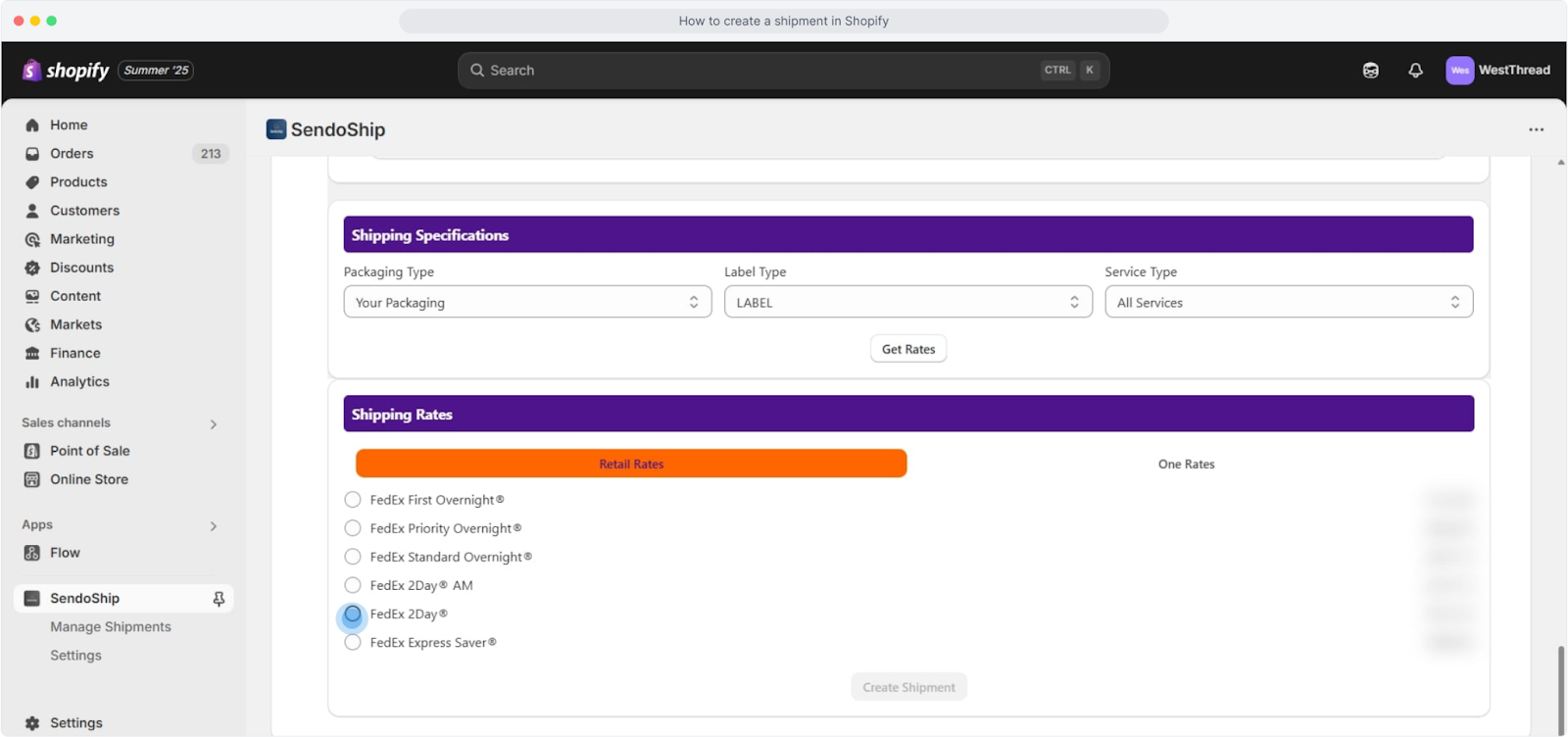
Shipping Specifications
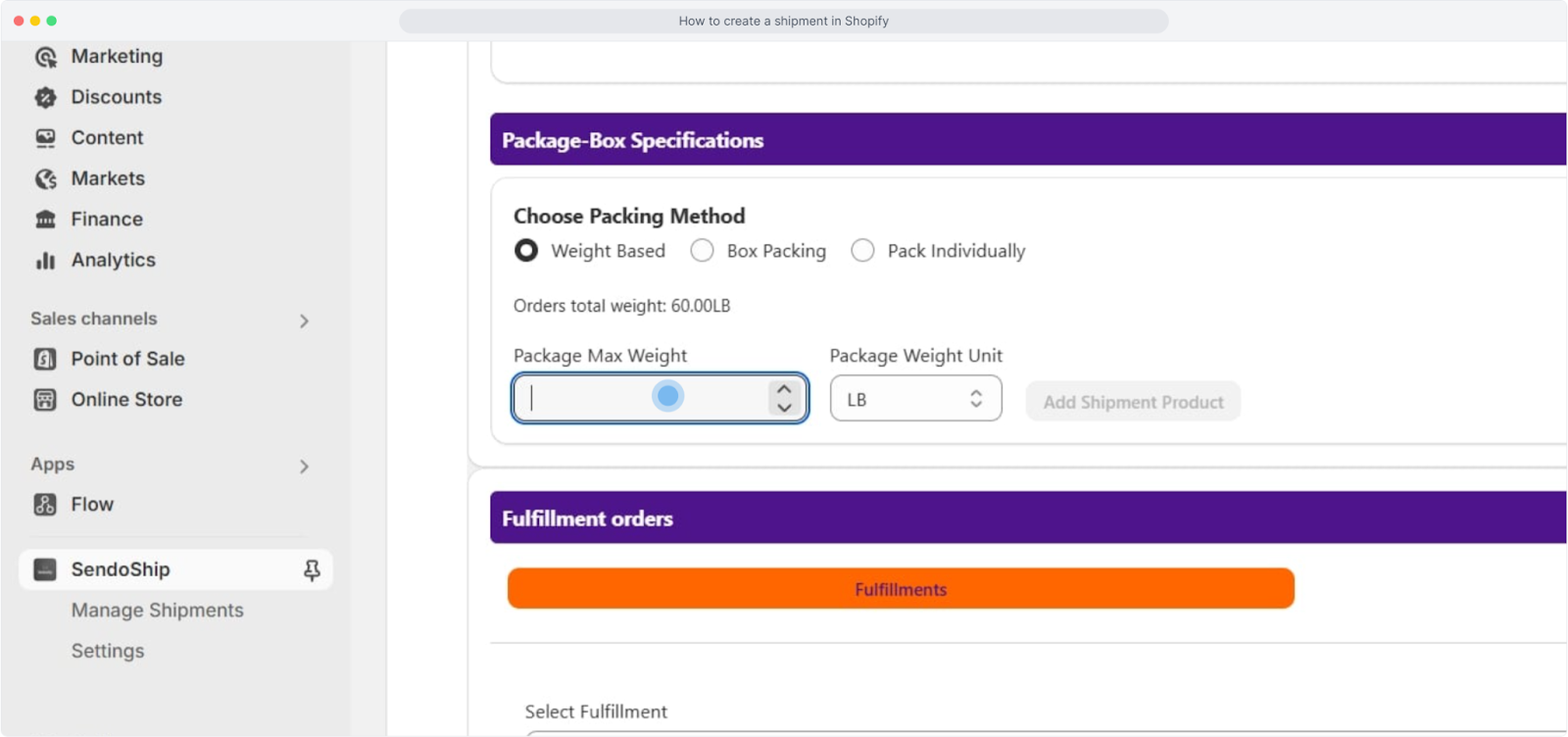
Choose the FedEx packaging based on box dimensions. Then, select the FedEx service that best fits your delivery schedule and budget.
Shipping Rates
Select the shipping retail rate that meets your needs and create the shipment to generate the ready-to-use FedEx label.
Print and Attach
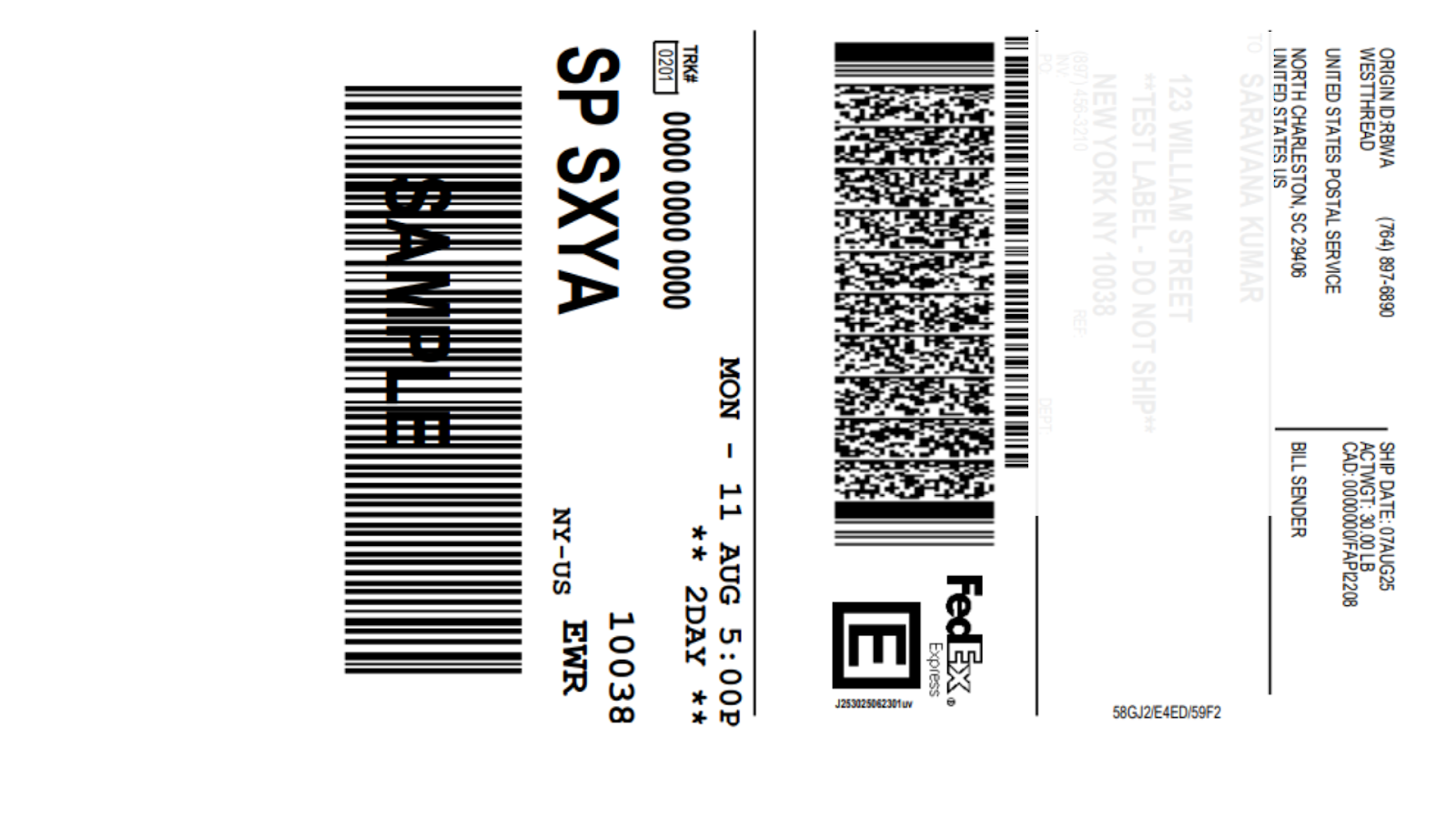
Download the label, print it, and affix it to your package. You’re now ready to hand it to FedEx or schedule a pickup directly from Sendoship.
Conclusion
Streamlining your shipping process is key to scaling your e-commerce business. Tab switching causes unnecessary friction that wastes time and leads to more errors.
Sendoship changes this experience by keeping your entire FedEx shipping workflow inside Shopify and removes productivity obstacles. Take Sendoship's 30-day free trial to see these benefits firsthand.